
Fantasy Cruncher (FC) is a powerful tool, but it is only a tool and it will only provide lineups that reflect the quality of the data and settings that go into it. FC is a must for building premium NFL lineups for GPP MME play. The product provides the ability to build hundreds of highly diversified well-constructed lineups in a short period of time with tight controls.
If you utilize FC through our site you should have our projections and ownership pre-loaded and updated automatically (this still requires reloading the page when updates drop). If projections in FC do not match what is on the site, you can upload the latest updates manually with the Upload Data button:
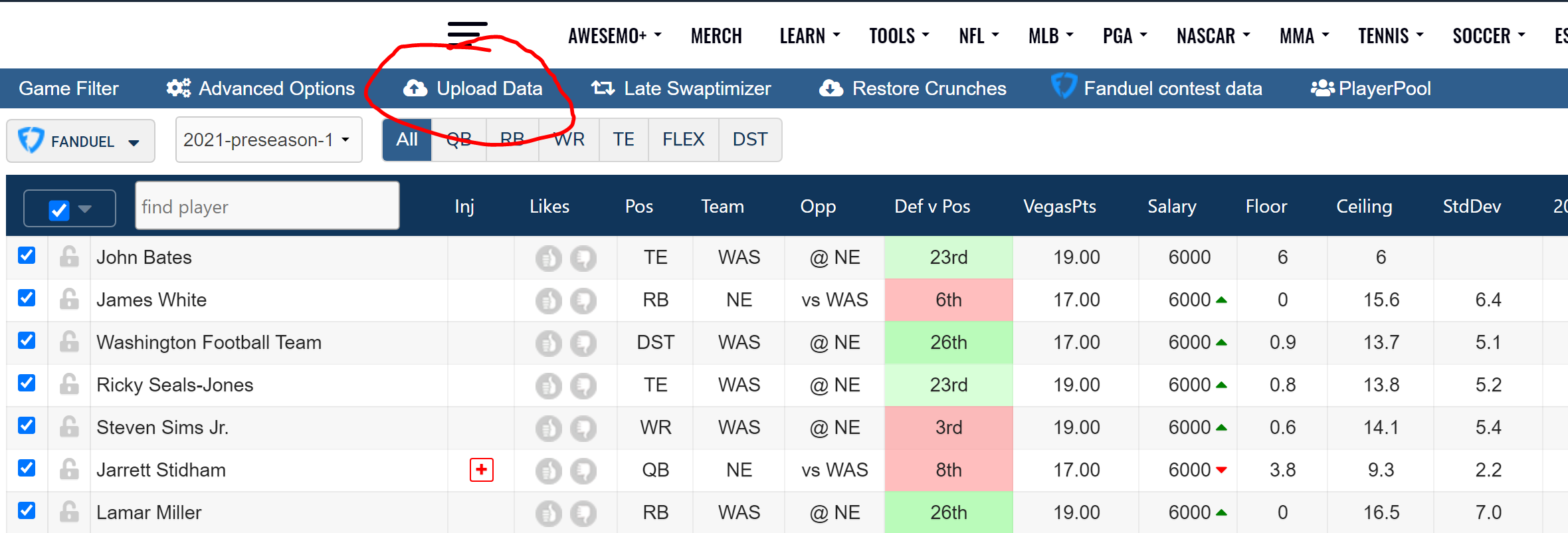 The remaining statistics and data points are from FC directly and do not factor into the discussion for our purposes, though they can provide reference points.
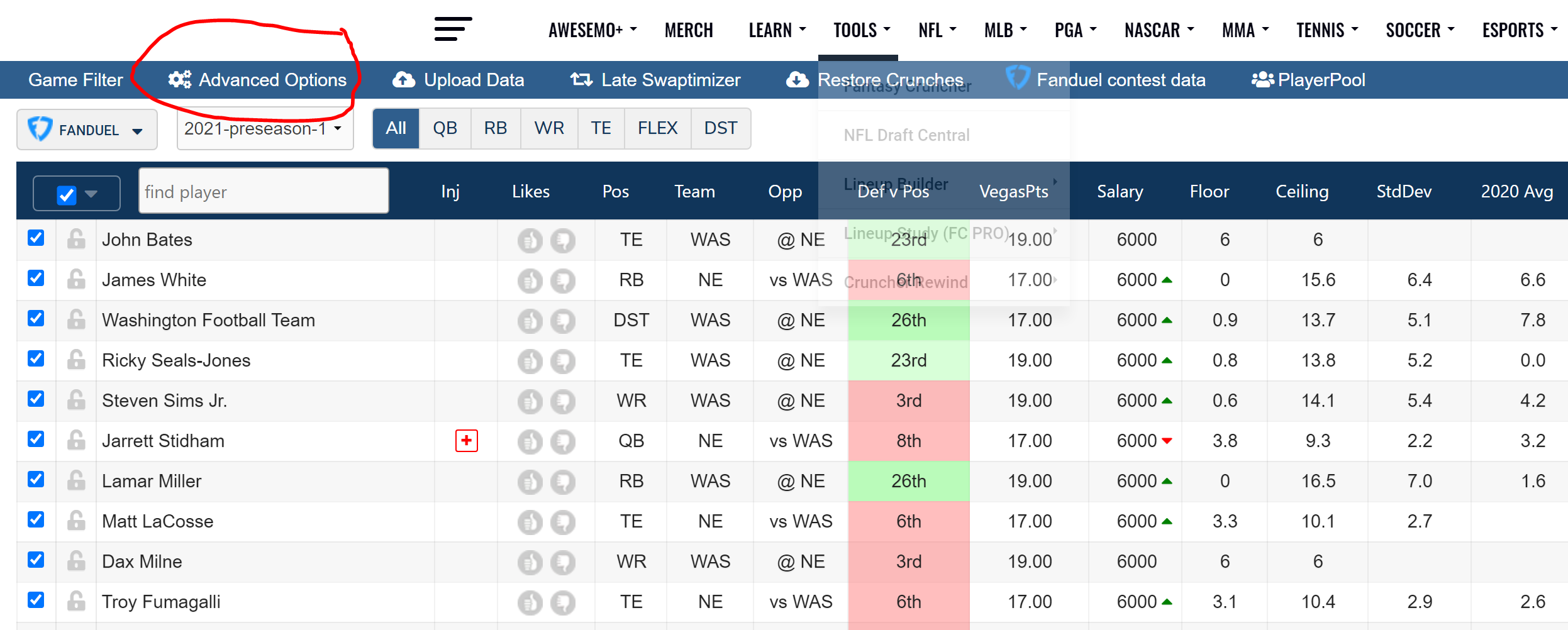
Advanced Options:
The General Settings are important for getting started with lineup builds
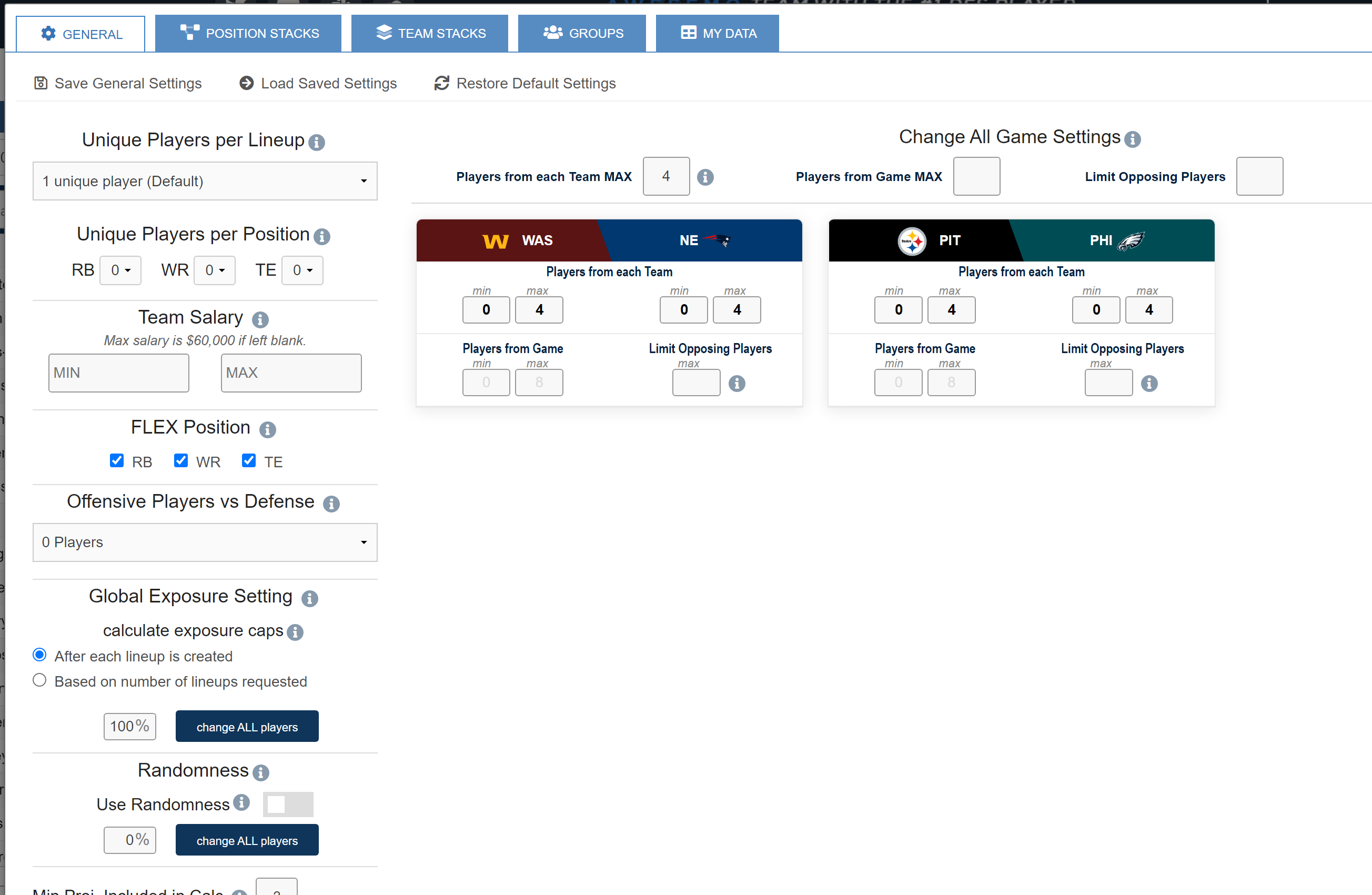
Unique Players Per Lineup - This feature will dictate how many players the optimizer must change from one lineup build to the next as it constructs a set of multiple lineups. For example, if you set this to three, at least three players in lineup 2 will be different from lineup 1.
Unique Players Per Position - This feature accomplishes the same as above but does so within each available position, providing more specific control if desired.
Team Salary (Min/Max) - This will restrict the total salary spend in constructed lineups to minimum and/or maximum amounts. This can be useful to ensure lineups of a certain quality and to differentiate from lineups that forcibly spend the entire salary cap, thereby landing on similar plays.
FLEX Position - This will allow you to dictate which positions can appear at the FLEX (recommended: RB & WR only)
Offensive Players vs Defense - This setting will allow you to dictate how many offensive players can potentially appear in a lineup that also features the opposing defense in their game (recommended: 0).
Global Exposure Setting: This is a quick way to set all players to the same exposure cap (how many lineups they can appear in on a percentage basis). This can be calculated either on a running basis, where the player will never be allowed to exceed the threshold, or by ensuring that they are at or below the cap requirement at the conclusion of the crunch.
Randomness - Randomness is how differentiated lineups are created. Assigning degrees of randomness to players will create a random multiple of the existing projection to use for each lineup that is created, providing a unique mix of projected players, all within pre-established ranges based on the percentage of the projection that is used for randomness. There are two approaches, traditional, which simply provides a direct percentage based multiple, and "PRO" which operates on a bell curve basis.
Min Projection Included in Calc - This can block players projected below a certain threshold from appearing in any lineups
DvP Settings - This is for the Defense vs Position (DvP) display data that FC provides and does not have an impact on crunched lineups. Changing it will change the sample size that is used to generate the displayed DvP rankings.
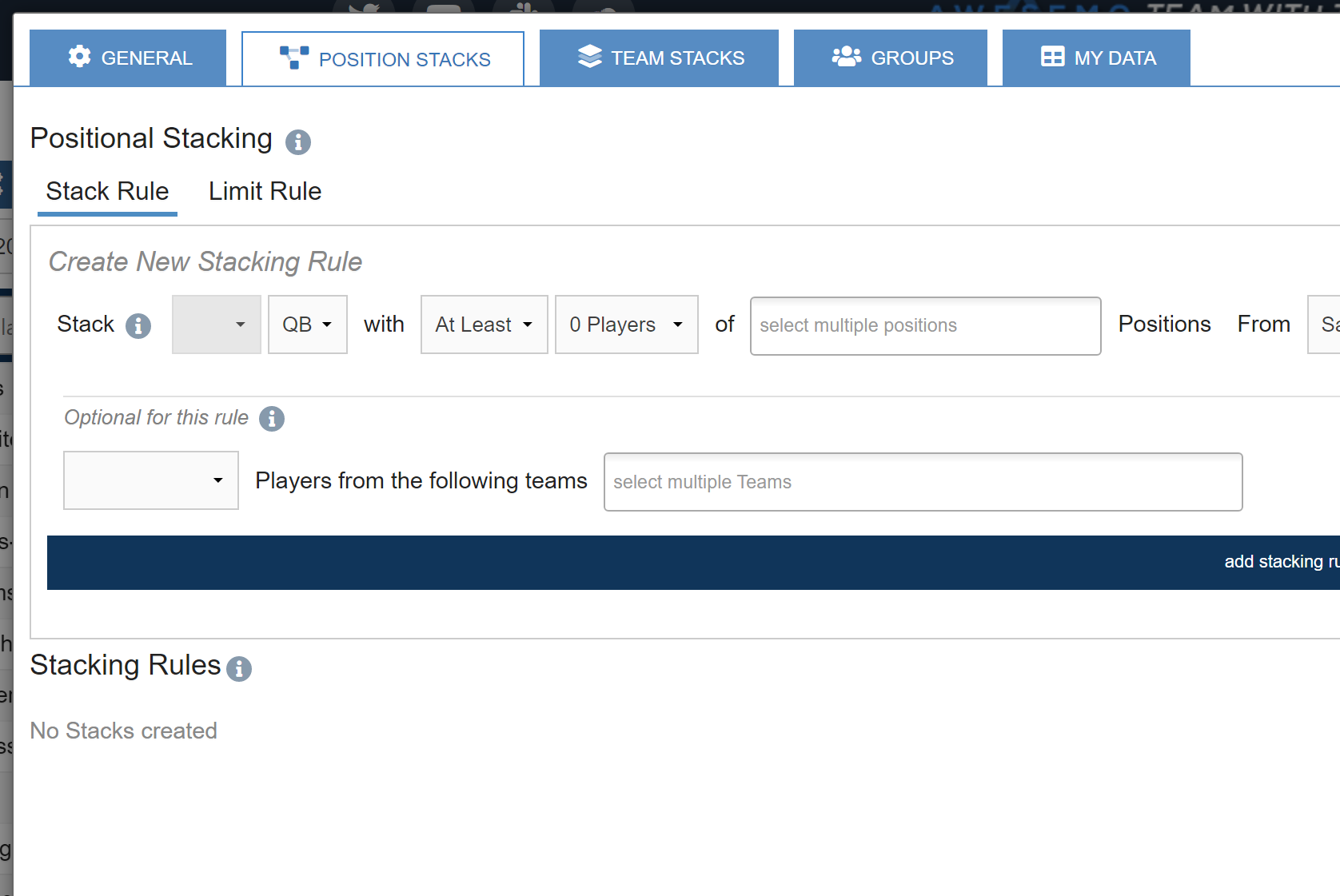
Stack Rules and Limit Rules can be utilized to dictate the requirements of how a lineup is constructed. This is one of the most powerful aspects of utilizing FC to build lineups, and it is where we build requirements for quarterback and skill player pairings, as well as run-back plays from opposing teams.
Suggested Stack Rules:
- QB with at least one RB/WR/TE from Opposing Team
- QB with at least one WR/TE from Same Team (note: It’s fine to make this two or to utilize two of these, one with WR/TE and one with RB/WR/TE, but we can refine that and get it exactly how we want it via Groups)
- QB with at most zero DST from Same Team (personal preference)
Suggested Limit Rules:
- Limit QB/RB/WR/TE from Same Team to three
- Limit RB/WR/TE from Same Team to one unless paired with QB from Same Team OR Opposing Team
- Limit RB from Same Team to one (I’m also doing this with WR in a separate rule that adds an “unless paired with QB or opposing QB” but it’s personal preference for NFL DFS)
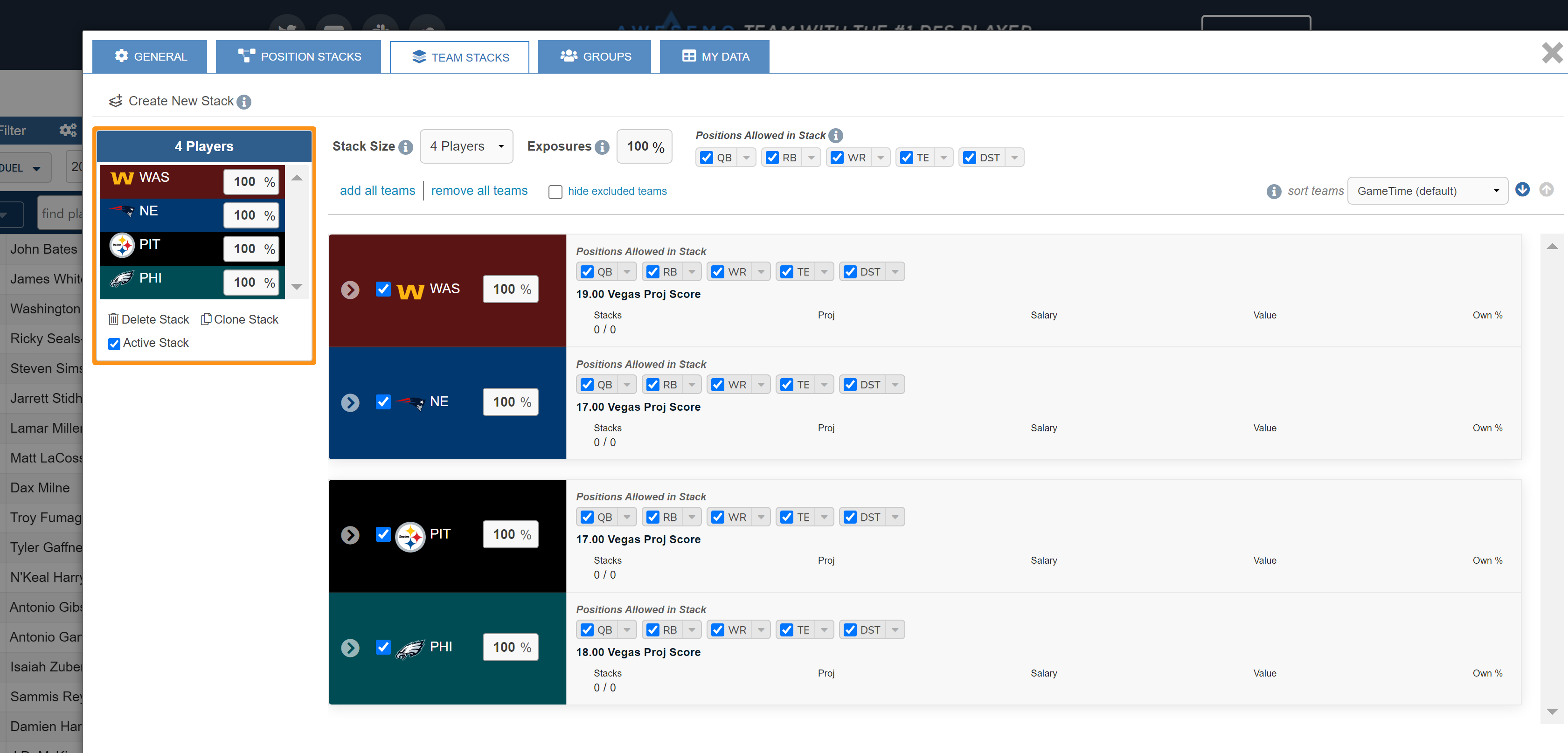
Team Stacks can be utilized to draw specific lines for which players and positions you want to allow to be stacked from each team individually. Notable features include the ability to set exposure settings for each team, the positional selection and the stack sizing. This feature is less often used in NFL, as stacks are more commonly dictated by the rules and groups.
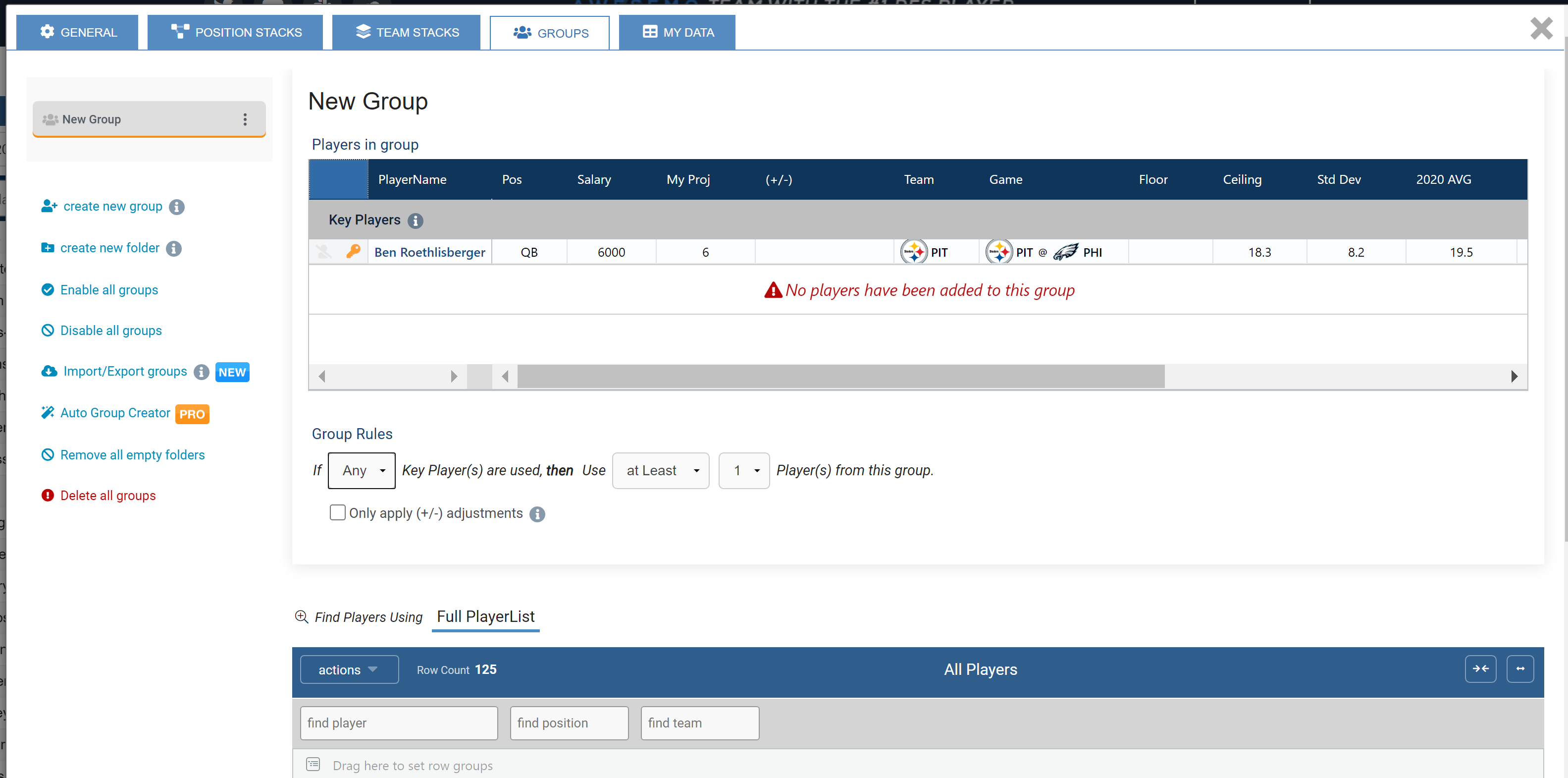
The Groups tab is a powerful tool that can be utilized to dictate specifics of how each team is stacked. In the example below, Ben Roethlisberger is designated as a "Key" player, which allows us to set rules around which skill players to pair with him in stacks, and how many of them to utilize. We can also use this space to pair the team with opponents for run-back situations. Utilizing the quarterback as a key player is an easy way to designate team by team stacks. The site features a dedicated Groups article with recommended constructions each week.
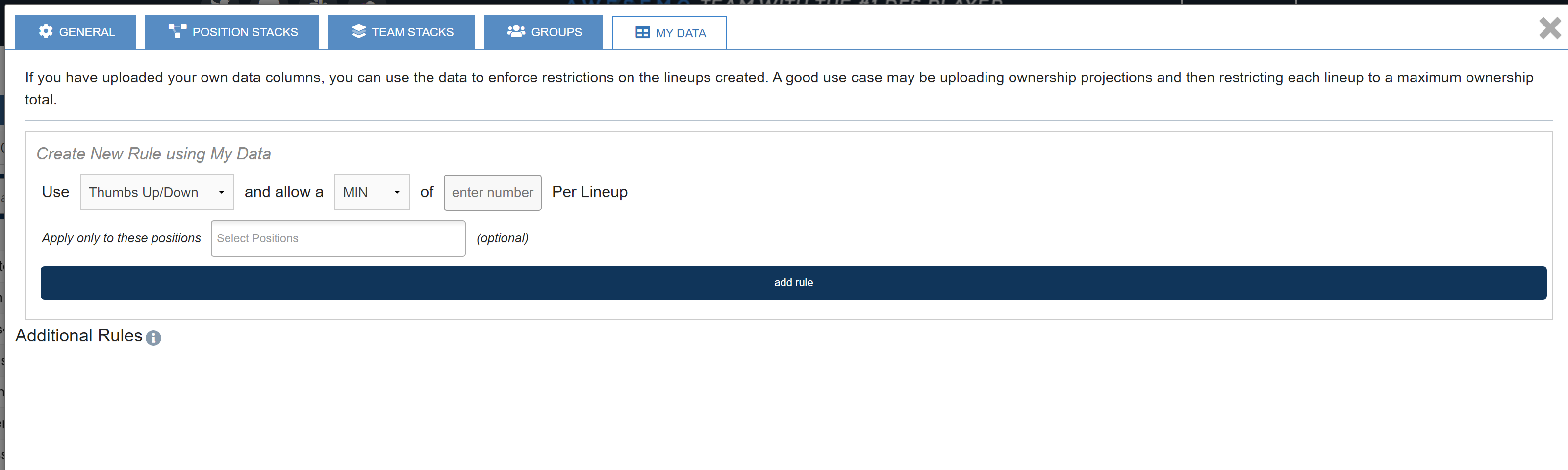
With the My Data tab, any data point that you upload can be manipulated for more detailed depth of control over lineup constructions.
Comments
0 comments
Please sign in to leave a comment.